
 Afrikaans
  Catalan
  Czech
Czech  Danish
  German
  Greek
Greek  English (UK)
  English (US)
  Spanish
  Finnish
  French
  Croatian
  Hungarian
  Italian
  Japanese
  Korean
  Latvian
  Malay
Malay  Dutch
Dutch  Norwegian
  Polish
  Portuguese (Brazil)
  Portuguese (Portugal)
  Romanian
  Russian
  Serbian
  Swedish
  Turkish
  Ukrainian
  Vietnamese
  Chinese (Simplified)
  Chinese (Traditional)
 Kael Radio | Tactica
This item is free.
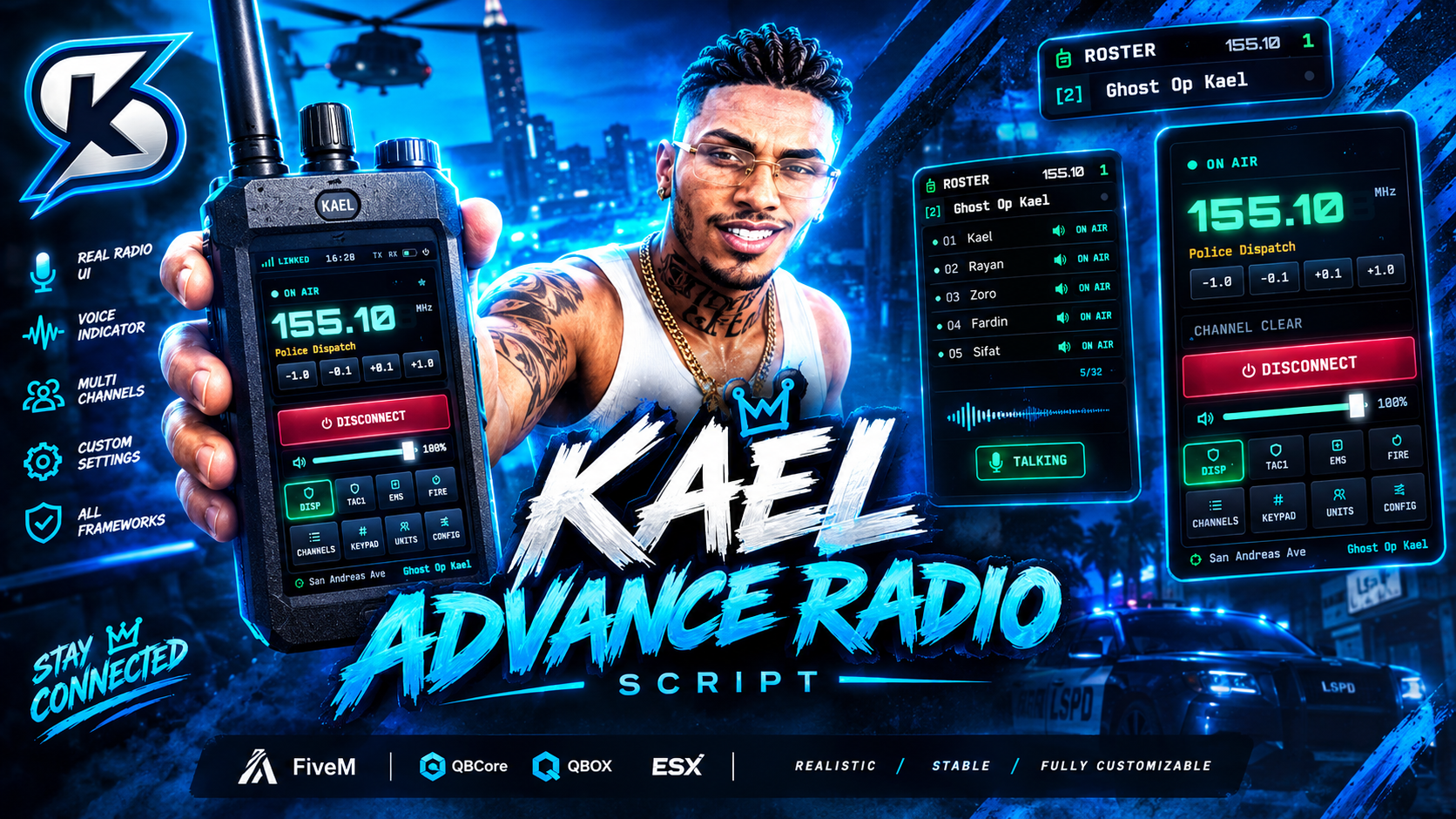
Description
📻 Kael Radio — Tactical Handheld Radio System
Bring realistic radio communication to your FiveM server with Kael Radio, a modern and highly configurable handheld radio system designed for serious RP servers.
Kael Radio combines a clean tactical interface, immersive handheld radio animations, restricted frequencies, battery management and multiple framework/inventory/voice integrations into one resource.
✨ Key Features
🎙️ Advanced Radio Communication
- Join and leave custom frequencies
- Configurable frequency range
- Decimal frequency support
- Configurable channel stepping
- Real-time channel connection status
- Channel member display
- Individual player mute
- Volume control
- Radio mute
- Favourite channels
🔐 Restricted Radio Channels
Create private communication channels for:
- Police
- Sheriff
- EMS
- Fire Department
- State Police
- Command Staff
- Gangs
- Custom Jobs
Configure:
- Allowed jobs
- Minimum job grade
- Allowed gangs
- Duty requirements
- Emergency priority channels
🔋 Battery System
Kael Radio includes an optional battery system.
Features include:
- Battery percentage
- Configurable battery drain
- Drain while connected/disconnected
- Recharge item
- Per-radio serial support
- Automatic battery saving
📱 Immersive Handheld Radio
The radio isn't just a UI.
When the radio is opened, players can use a physical handheld radio prop with configurable:
- Prop model
- Bone
- Position
- Rotation
- Animation
- Network visibility
This allows other players to see the radio being used during RP.
🖥️ Modern NUI
Kael Radio includes a custom tactical interface featuring:
- Radio home screen
- Frequency keypad
- Channel browser
- Presets
- Members/Roster
- Settings
- HUD
- Volume controls
- Radio status
- Multiple visual themes
🎨 UI Themes
Choose from multiple built-in themes:
- Cyan
- Emerald
- Amber
- Violet
- Crimson
⌨️ Configurable Controls
Players can configure their radio controls through FiveM key bindings.
Included controls:
- Open Radio
- Next Channel
- Previous Channel
🔌 Framework Support
Kael Radio includes framework bridges for:
- QBox
- QBCore
- ESX
- Standalone
The framework system automatically detects the active framework or can be configured manually.
📦 Inventory Support
Supported inventory integrations include:
- ox_inventory
- qb-inventory
- qs-inventory
- codem-inventory
- Framework fallback
- Item-less standalone mode
You can also configure whether players are required to physically own a radio item.
🎧 Voice Support
Kael Radio supports:
- pma-voice
- SaltyChat
- Mumble-VoIP
Voice settings such as volume, mute behaviour and channel validation can be configured.
🌍 Localization
Kael Radio includes multiple language files and allows server owners to customize translations.
Included languages:
- English
- German
- French
- Spanish
- Czech
🧩 Developer Friendly
Kael Radio provides exports for developers, including:
- OpenRadio
- CloseRadio
- JoinRadio
- LeaveRadio
- IsConnected
- GetChannel
- IsTransmitting
- IsJammed
- RechargeRadio
This makes it possible to integrate the radio into other scripts and custom server systems.
⚙️ Highly Configurable
Most important behaviour can be configured through config.lua, including:
- Framework
- Inventory
- Voice system
- Radio items
- Battery
- Frequencies
- Channels
- Jobs
- Gangs
- Grades
- Duty requirements
- Commands
- Keybinds
- Prop
- Animation
- UI
- Themes
- Presets
- Notifications
- Localization
📋 Requirements
- FiveM
- OneSync
- ox_lib
- A supported framework or Standalone setup
- A supported voice system for radio voice communication
📦 What You Receive
After purchase you receive:
- Kael Radio resource
- Framework bridges
- Inventory integrations
- Voice integrations
- NUI
- Configuration
- Localization files
- Battery system
- Developer exports
- Documentation
🚀 Installation
- Download the resource.
- Extract
kael_radiointo your resources folder. - Configure
config.lua. - Ensure the required dependencies are running.
- Add the resource to your server configuration.
- Configure your radio channels and permissions.
- Restart the server.
Detailed configuration and documentation are included with the resource.
💎 Built for Serious FiveM RP
Whether you're running a Police Department, EMS, Fire Department, Gang RP or a fully custom framework, Kael Radio is designed to provide an immersive and flexible communication system without forcing your server into one specific framework.
Kael Radio — Communicate. Coordinate. Control.

Top Customer
Recent Payments
-

WhosALady
6th Oct 26 -

riesyplayz
2nd Oct 26 -

FOE_RP
17th Sep 26 -

3laagaming
2nd Sep 26 -

mutsu9630
30th Aug 26
Documentation
📜 Kael Script Documentation
Need help with installation or setup? Check out our official documentation for step-by-step guides and support.
View Documentation